

Your BI dashboards show you what happened last quarter, but can they tell you why your conversion rates dropped 15% in your most crucial sales region? When your CEO asks a follow-up question during Monday's board meeting, you're stuck waiting for an analyst to dig deeper while competitors move faster with instant insights. The real cost isn't just the wait—it's the decisions made without complete information and the competitive ground lost while you're still gathering context.
The truth is, most analytics-for-BI setups stop at “what happened.” They don’t help you dig into causes, spot early shifts, or give teams the confidence to act. In this guide, you’ll see how to layer smarter analytics on top of your existing BI investment, without rebuilding everything from scratch.
You’ll get role-specific playbooks, five quick tests to see whether your current stack can actually handle modern analytics, and a look at the capabilities that matter most today: a governed semantic layer, conversational AI, and proactive insight loops.
Why "analytics for BI" matters now (and what the term really covers)
Analytics for business intelligence is the practice of adding intelligent, automated capabilities on top of your existing BI foundation. Rather than replacing your dashboards, you're layering on AI-powered features that analyze trends, surface hidden patterns, and recommend specific actions.
Traditional dashboards tell you what happened. They don’t tell you why your activation rate dipped after a product release or which customer segments changed behavior after a new pricing plan. That’s where analytics layers come in, things like diagnostic analysis, conversational search, and proactive insight loops that help you move from “interesting chart” to “here’s what to do next.”
Markets shift faster than your reporting cycles, so timing really does matter. When revenue drops or demand swings, waiting weeks for another ad hoc report isn’t realistic. You need answers in the moment, not after the opportunity’s passed.
The BI debt check (3 quick signals you can measure today)
“BI debt” shows up when your analytics can’t keep up with how fast the business moves. If you’re seeing any of these signals, your stack is slowing down decisions instead of supporting them.
1. Adoption drag: Too many dashboards, too few decisions
You have dozens or even hundreds of data visualization dashboards, but only a handful see regular use. This "dashboard graveyard" signals that your BI platform might be operating as a report factory, churning out content that becomes stale the moment business conditions shift.
Often, the root problem is that traditional dashboards can't answer follow-up questions. When your initial view raises new questions, you're stuck waiting for an analyst to build another report. This friction kills momentum, and teams abandon the platform entirely.
Modern solution: Spotter, your AI analyst, lets anyone ask follow-up questions in natural language, maintaining context across multi-turn conversations. Instead of building dozens of static dashboards, you create one intelligent interface that adapts to each user's questions.
Midas Pharmas experienced this shift firsthand. Their static reports and Microsoft Excel tables meant time-to-insight was slow, and much of the company’s valuable data remained underutilized. Users couldn’t access the data they needed, and tedious, manual workarounds became the only way to perform data analysis. Add in with an upcoming Enterprise Resource Planning (ERP) system migration, and the pressure was only looming.
Integrating Spotter allowed Midas to demystify AI-powered insights for every user, achieving:
An average of 3-4 hours a week saved for each user
70% internal adoption in just 4 months
10,000+ new visualizations per month
99% of queries return in under 1 second
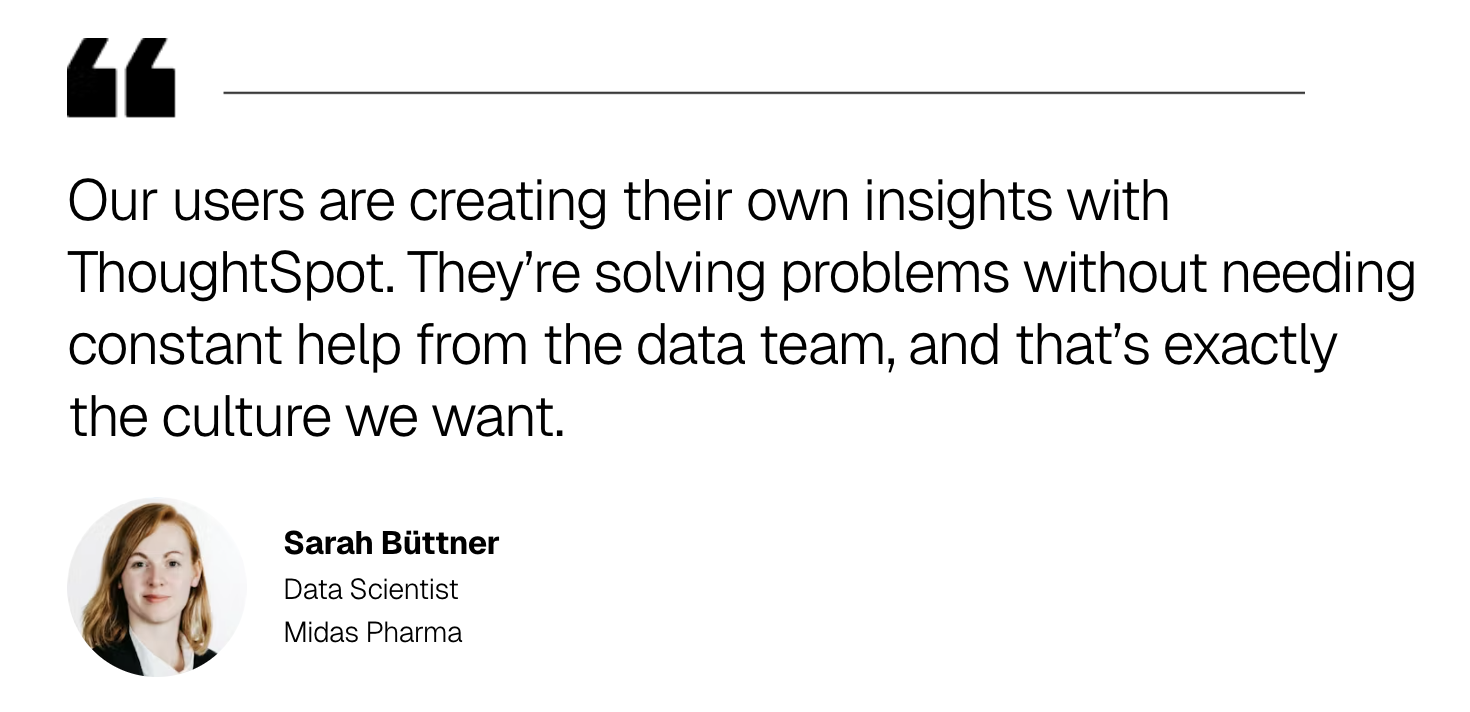
A sales analyst who used to rely on manual Excel work just to compare market performance can now get the same answer in two clicks. More importantly, they’re going beyond historical tasks—spotting patterns they couldn’t see before, asking smarter questions, and driving decisions without waiting in line for data.
2. Trust gaps: Inconsistent KPI definitions across teams
Do different teams in your organization report conflicting numbers for the same KPI? Without a governed semantic layer or centralized metrics glossary defining your business language, you get a free-for-all of potentially unreliable duplicate metrics. It can happen in any department and with practically any metric, including:
Revenue definition varies: Sales count bookings, finance counts collections, marketing counts pipeline value
Customer churn calculations differ: Product uses 90-day inactivity, support uses cancellation requests
Conversion rates conflict: Marketing measures lead-to-opportunity, sales measures opportunity-to-close
This inconsistency erodes confidence in your organization’s ability to make data-driven decisions. When executives see different numbers in different reports, they stop trusting analytics altogether.
Modern solution: Platforms with governed semantic layers define business logic once and enforce it everywhere. When you define "monthly recurring revenue" in the semantic layer, that definition gets implemented across every dashboard, AI conversation, and embedded analytics experience. This keeps answers consistent and trustworthy, regardless of how users access the data.
3. Action latency: Insights trapped outside your workflow
Important insights get trapped inside dashboards, disconnected from where you actually work. When you and your teams have to copy-paste screenshots into Slack to start conversations, or manually export data to share in SaaS apps, momentum often dies before action even starts.
The problem compounds when insights arrive too late. By the time someone checks a dashboard, investigates an anomaly, and alerts the right stakeholders, the opportunity to act has already passed.
Modern solution: Two capabilities close this gap. First, proactive insight loops automatically detect and surface anomalies, delivering alerts with context and recommended actions directly to your workflow.
Second, embedded analytics using platforms like ThoughtSpot Embedded place interactive insights directly into Slack, Salesforce, or custom applications where decisions actually happen. Instead of pulling people out of their workflow to check dashboards, you push governed insights into the tools they already use.
📚 See how winning leaders are creating intelligent applications with embedded analytics—get your guide here.
Start Getting Better Insights
Role-based playbooks (use what applies to you)
Tailoring your approach is a key element of making marketing analytics work for you. Depending on your role, you'll need different approaches to get value from your data investments.
1. Executives and business owners: meeting-ready insights
You don't have time to dig through dashboards before important meetings. You need the "so what" delivered clearly and concisely.
With an effective analytics layer, you get automatically generated one-page briefs on your key metrics, complete with narratives explaining what changed and why. There’s no need for analysts to spend hours building slide decks when Liveboards produce summaries of weekly performance, highlighting trends and suggesting investigation factors. When quarterly revenue dips in one of your sales regions, your team gets an automatic alert with context about seasonal patterns and recommended next steps.
2. Analysts and analytics engineers: the trust layer
Your job involves making sure data governance keeps information reliable and ready for others to use. This requires building a solid trust layer with metric contracts that clearly define formulas, lineage, and business context.
With Analyst Studio, you can use SQL, Python, and R to model data and define business logic in one centralized workspace. The platform's semantic layer acts as a translation engine between complex data structures and simple business terms. When someone searches for "customer churn," the system knows exactly which tables to query, which formulas to apply, and which filters to include based on your predefined business rules.
3. Product and operations teams: embedded decisions
Analytics shouldn't require you to leave your workflow for a separate destination. Whether in internal portals or customer-facing applications, insights should integrate directly into your daily applications.
Using modern SDKs and APIs like those in ThoughtSpot Embedded, you can place interactive charts, natural language search, or complete dashboards right where you need them. The platform's underlying visualization engine, Muze, provides high-performance, composable visualizations that feel native to your product experience.
Ready to move beyond static reports? See how the ThoughtSpot Agentic Analytics Platform delivers trusted, AI-driven insights in seconds. Start your free trial today.
Five "moment-of-truth" experiments you can run in under a week
1. One KPI, many surfaces
Work with your analytics team to query a critical metric like "quarterly recurring revenue" through three interfaces: your AI analyst, a standard dashboard, and a direct SQL query. The numbers must match exactly across all three.
If they don't, your platform likely lacks a unified semantic layer—the foundational data model that guarantees consistent definitions. Without this, AI-generated insights become unreliable. Ask your data engineering team to document any discrepancies and trace them back to their source definitions in your analytics metadata.
2. Multi-turn refinement
Have a business user initiate a conversation with your AI analyst tool: "Show me sales by product category." Then ask follow-ups: "Which categories declined or increased year-over-year?" and "What factors might explain the changes?" A capable system like Spotter maintains context across turns and explains how it got there, not just numbers.
If your tool loses context or can't explain its logic, flag this for your analytics leader. This capability determines whether your team can explore data independently or remains dependent on analyst support.
3. Alert-to-action loop
Alerts without context just create noise. Ask your analytics team to configure a proactive alert for a business-critical anomaly like sudden drops in user engagement or conversion rate spikes. When triggered, evaluate whether the system delivers narrative context and recommended actions, or just raw notifications.
Measure the elapsed time from anomaly detection to when stakeholders receive actionable guidance, and share this metric with your operations team. The shorter this cycle, the faster your organization will be able to respond to market changes.
4. Embedded in a day
Challenge your development team to embed a governed KPI with drillable visualizations into a staging environment within one business day. Have them note anything that slows them down, auth setups, security rules, visual customization, anything.
If your developers need more than a day or encounter significant roadblocks, your platform's embedding capabilities may not support scalable deployment. Discuss these findings with your product and engineering leads to assess whether your current stack can support customer-facing or operational embedding use cases.
5. Guardrail test
Create a test user account with limited data access, then try asking questions or running queries that should be outside their permissions. A well-designed system will block the request and show you exactly which security rule prevented access. This transparency helps you understand whether your governance policies actually work as intended.
Some platforms only enforce permissions at the dashboard level, meaning users can bypass restrictions through other access points like APIs or embedded views. Share these findings with your security and compliance teams, as this gap could prevent you from using the platform in regulated industries or situations where you need strict data separation between different customer groups or business units.
Pattern library: how analytics augments BI (choose 1-2 to start)
Modern analytics is a collection of capabilities working together. When evaluating platforms, focus on these essential patterns rather than vendor feature lists. Choose 1-2 to start, then expand as your organization matures.
Governed semantic layer: A centralized foundation that translates complex data into simple business terms, ensuring "customer churn" means the same thing across every interface. ThoughtSpot's agentic semantic layer learns from your questions, adapts to new business logic, and enforces governance without bottlenecks.
Conversational AI with context: Multi-turn conversations with explainable, context-aware responses that feel like collaborating with an expert. Spotter uses Business-Augmented Reasoning for Questions (BARQ) technology to understand ambiguous questions, maintain conversation memory, and provide transparent explanations for every insight on complex, real-world datasets.
Proactive insights and anomaly detection: Automatic surfacing of trends and outliers before you think to look, flipping the model from reactive exploration to proactive discovery. Platforms detect when revenue patterns shift, or customer analytics reveal behavior changes, delivering context and recommended actions directly to your workflow.
Developer-friendly embedding: Flexible SDKs and APIs for seamless application integration that feels native, not clunky. ThoughtSpot Embedded offers a Visual Embed SDK supporting JavaScript and React libraries, enabling developers to embed search interfaces, individual visualizations, or complete analytical experiences with custom CSS support directly into applications where work happens.
Granular governance and security: Row-level and column-level security with transparent policy explanations that enforce permissions consistently across dashboards, APIs, and embedded views. This makes sure your governance policies actually work as intended, preventing unauthorized access while maintaining usability for legitimate users across all access points.
Many traditional BI platforms bolt AI features onto existing dashboards as afterthoughts, creating disconnected experiences. AI-native platforms like ThoughtSpot integrate intelligence throughout the entire analytics workflow, so you get trustworthy insights across every interaction instead of fragmented capabilities that slow decisions.
Put your BI data to work with modern analytics
Traditional BI setups create friction that drags decisions to a crawl: Teams wait for analysts to build reports, metrics definitions conflict across departments, and insights remain trapped in dashboards disconnected from daily workflows. These gaps accumulate as BI debt, eroding trust in data and creating competitive disadvantages when speed matters most.
ThoughtSpot tackles these data challenges head-on by layering intelligent capabilities onto your existing data infrastructure. Start your free trial to see how quickly your team moves from asking questions to taking action.
Frequently asked questions
1. Is analytics for business intelligence the same as business analytics?
They overlap but aren't identical. Business analytics covers analysis techniques such as statistical models, predictive algorithms, and data science methods. Analytics for BI is the platform layer that delivers those insights consistently across your organization. Modern platforms like ThoughtSpot combine both, with advanced analytics built on a foundation of trust, security, and scalability.
2. Which are the top business intelligence systems for analytics?
The right platform depends on your needs. Use the core capabilities checklist from this guide—semantic layers, conversational AI, proactive insights, embedding flexibility, and granular governance. Then run the five experiments to test real-world performance against your use cases. This helps illuminate which platforms solve your actual challenges instead of relying on vendor rankings.
3. How do I know I can trust answers from natural language or AI copilot tools?
Trust requires three core elements: a governed semantic layer defining metrics consistently, visible data lineage showing which sources inform each answer, and role-based access control enforcing permissions everywhere. Before deploying AI-powered analytics, run the guardrail test from this guide to verify these protections work across dashboards, APIs, and embedded views, where governance gaps often hide.






