

In today’s product landscape, analytics isn’t just about showing insights. It’s about moving data into the tools where work actually happens, so that users can make informed decisions in context. Users expect analytics to integrate with their systems, whether that means sending a lead to a CRM, creating a Jira ticket, or triggering a workflow downstream.
As product owners, that means one thing: your analytics experience should enable seamless data flows across systems. You should be able to define how and when data moves, apply filters and permissions, and keep everything aligned with your action workflows.
That’s exactly why we built Code-based Custom Actions. It gives developers full control to define, manage, and deploy actions in the codebase with the Visual Embed SDK. With this, we enable your users to easily route data from ThoughtSpot to any app, automate workflows, and do it all within your existing development environment.
Table of contents
What are code-based custom actions
Build and manage actions your way
How code-based actions elevate your development workflow
Seamless, connected analytics experiences
What are code-based custom actions
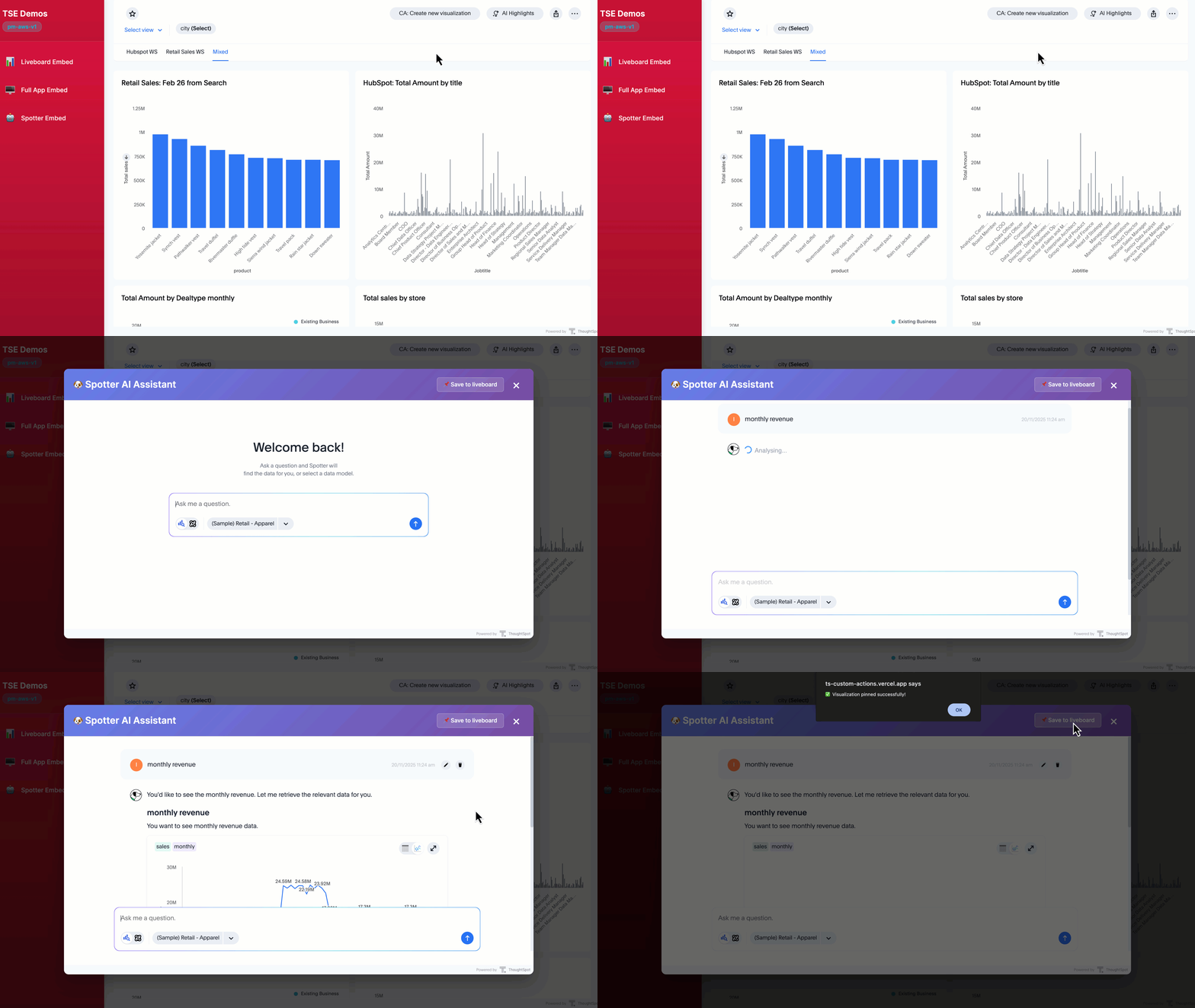
Custom actions make it easy for your users to act on data insights quickly by triggering workflows or pushing data from ThoughtSpot into external tools for seamless workflow automation. Whether they’re creating a CRM lead, filing a Jira ticket, or triggering a downstream workflow, users can take action directly from Liveboards, Answers, or even Spotter conversations.
Code-based custom actions take this capability and make it even more developer-friendly. Instead of configuring custom actions in the ThoughtSpot UI, you can now define and manage them directly in your codebase. This gives you full control over how you manage the actions through your existing development processes, including versioning and reviews.
Building actions in code also gives you precise control over when and how they appear. You can surface an action only when certain columns are present in a query result or show it conditionally based on user roles and permissions. Additionally, you can choose exactly where the action button appears, whether in the main menu bar, the “More options” menu, or via a right-click, ensuring a seamless and intuitive user experience.
With this level of flexibility, code-based custom actions help you create analytics experiences that seamlessly integrate into your product, allowing users to push insights into downstream systems from your app.
Build and manage actions your way in the Visual Embed SDK
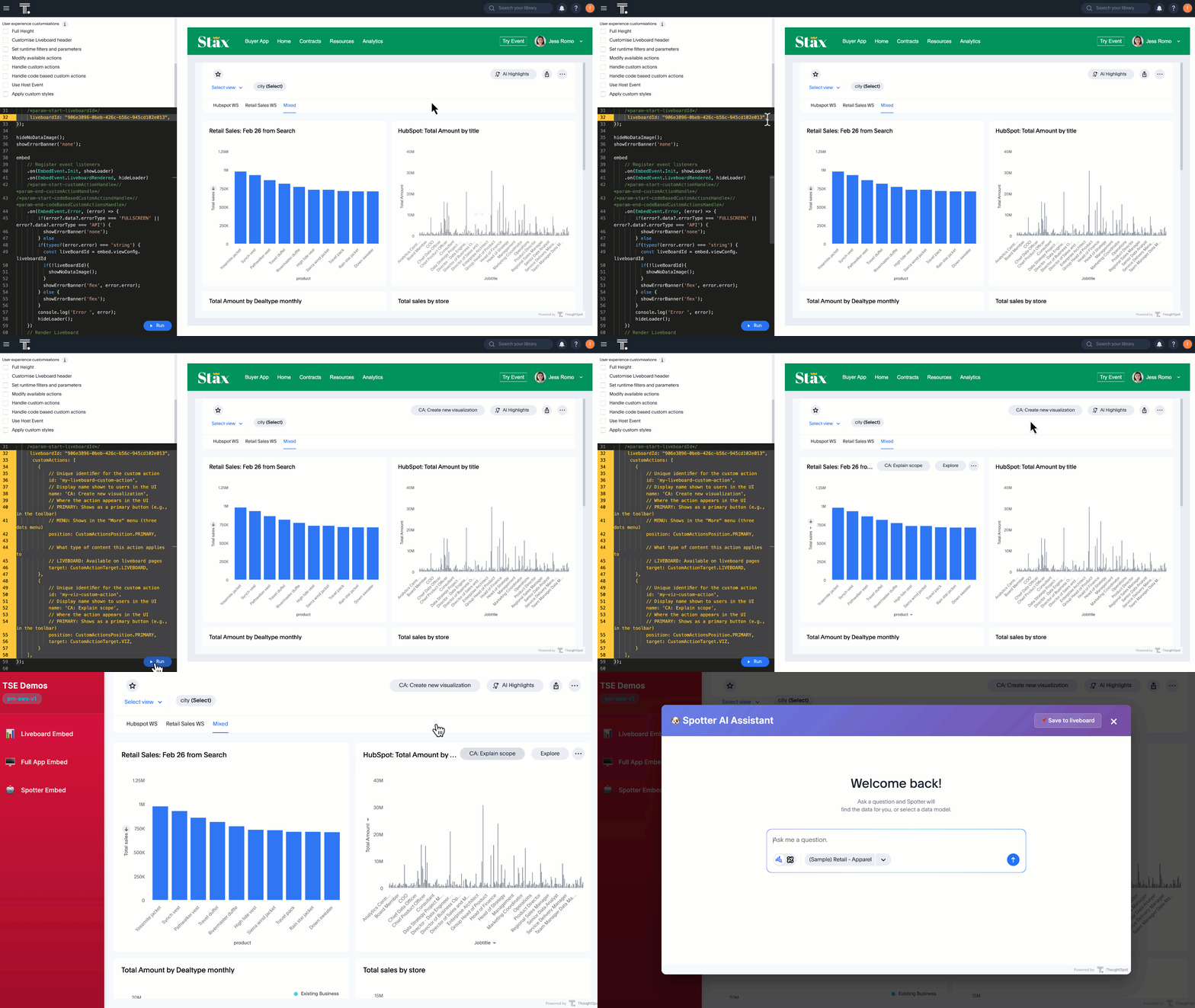
Whether you want to apply an action across your app or tailor it to a specific component, the Visual Embed SDK gives you full control to build and manage custom actions exactly the way you need.
1. Through the init function
Register actions globally during SDK initialization so they can be reused across multiple embedded objects.
2. Through individual embed functions
Define actions at the time of embedding a specific component, like a Liveboard, for more granular control.
Once the action is defined, you can listen for user clicks and trigger a response with the Visual Embed SDK’s .on() method using EmbedEvent.CustomAction.
For detailed parameters and setup instructions, check out our developer documentation.
How code-based actions elevate your development workflow
Moving custom actions into code is more than just a technical shift; it’s a strategic move. It changes how teams build, deploy, and scale analytics.
Here’s what that means for your team:
Simplified version control and deployment: Actions live in your codebase, so you can version, test, and review them like any other part of your app.
Faster development and testing: Build and validate actions locally before deployment without relying on the UI.
Personalization and governance: Show only the actions that matter to the right people. For example, having only sales managers see “Offer Discount” while only Engineering has the option to access “Create Jira Ticket”.
A consistent product experience: Control naming, styling, and logic in your own codebase so every interaction feels native to your app.
Access to new action types: Code-based custom actions also unlock new custom actions, including Spotter context menu actions, column-based actions, and Liveboard-level actions.
By managing these controls directly in code, you can create analytics that not only inform users but also empower them to act instantly and confidently.
Embed analytics to supercharge your workflow automation platform
With code-based custom actions, you’re not just embedding analytics, you’re building a complete workflow. Your users no longer need to export data, juggle files, or jump into another tool just to act on what they’ve found. They can take action right inside your product, creating a more engaging experience.
If you’re embedding analytics into your product, ThoughtSpot Embedded helps you do it in a way that scales with your development processes. That way, you can focus on your core product, while we handle the analytics layer.
Schedule a demo to see how ThoughtSpot Embedded helps you connect insights, actions, and users — all in one seamless experience.
Want answers fast? Check out our Developer AMA recording to learn more about Code-Based Custom Actions and how to implement them.


