

Your customers keep asking for analytics features, but building them from scratch could consume 12 to 18 months of your engineering roadmap. At the same time, competitors are already shipping embedded analytics that make their products more useful, stickier, and harder to replace.
This guide breaks down how you can add analytics directly into your product in weeks instead of years, without derailing core development. You’ll learn what embedded analytics actually means for SaaS, why it’s becoming table stakes, and how to approach implementation without taking on a long-term maintenance burden.
What is embedded analytics for SaaS?
Embedded analytics for SaaS means bringing analytics directly into your product, so users can explore data, spot trends, and answer questions without leaving the application. Instead of exporting data into separate BI tools, insights show up exactly where decisions are made.
The difference isn’t just convenience. Embedded analytics keeps users in context. They don’t switch tools, relearn interfaces, or wait on reports. Analytics becomes part of the product experience, not a separate destination.
Key characteristics include:
Seamless integration: Analytics appear as a natural part of your application
White-label capabilities: The analytics match your brand's look and feel
Multi-tenant architecture: Each customer's data stays secure and separate
In-context insights: Users analyze data within their existing workflow
Modern platforms like ThoughtSpot Embedded make this possible through comprehensive APIs and SDKs that handle everything from data security to visualization rendering. You can use both low-code embedding options for quick implementations and full API control for custom experiences.
Why embedded analytics matters for your SaaS company
Your customers expect analytics to be part of the product, not an add-on. At the same time, competitors are using embedded analytics to make their apps harder to replace. If insights live outside your product, you’re giving users a reason to leave it.
Embedded analytics reframes analytics from something you have to build into something that actively grows your product.
1. Increased user engagement and retention
When users can see performance metrics, trends, and outcomes directly inside your product, analytics becomes part of their daily workflow. That repeated exposure builds habits and makes your product harder to churn from.
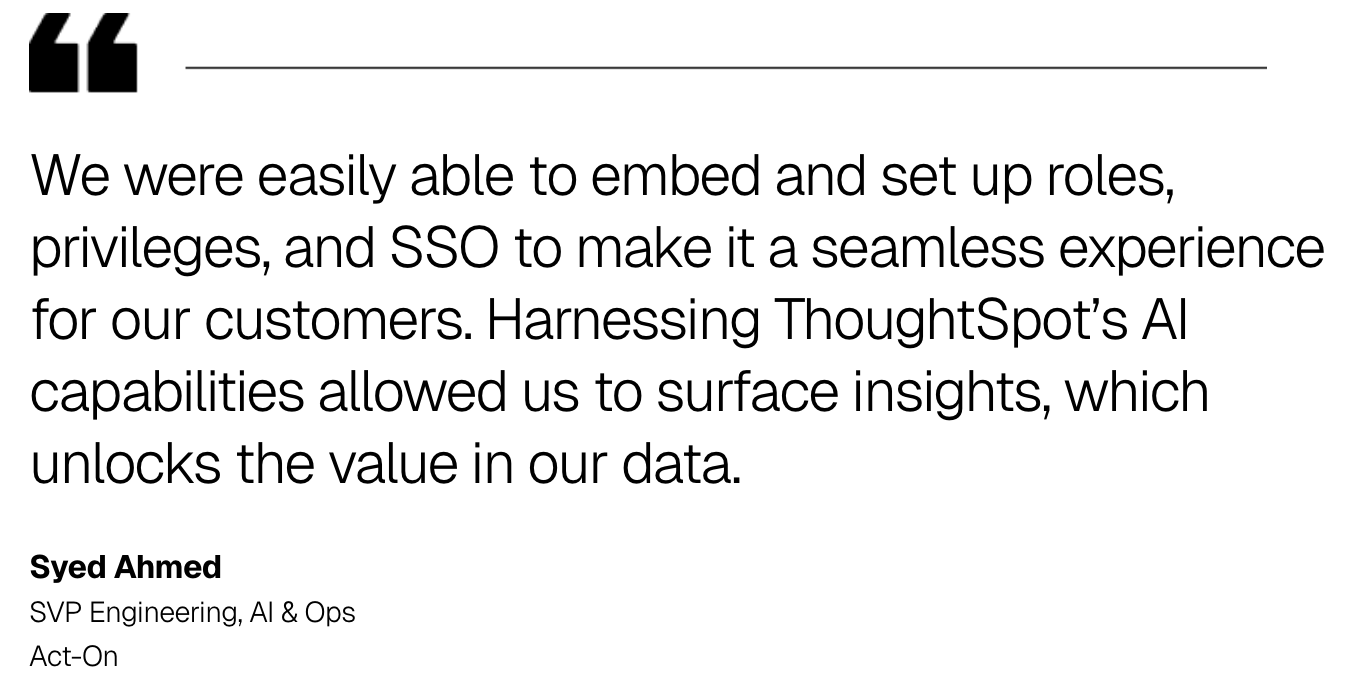
Act-On saw this firsthand. Marketers were stuck with slow, inflexible reports that few bothered to open. But once they embedded ThoughtSpot's AI-powered analytics directly into their marketing automation platform, the shift was immediate: customer report usage soared 60%.
2. New revenue streams through data monetization
Embedded analytics also gives you something concrete to sell. You can offer basic reporting in standard plans, then charge for advanced dashboards, predictive insights, or benchmarking in higher tiers. Instead of bundling analytics as a cost, you turn it into a revenue driver.
3. Competitive differentiation in crowded markets
In crowded markets, your key differentiator is the ability to give users specific answers that help them improve their performance. Users choose products that help them understand and improve their performance, not just complete tasks.
As Vijay Kotu put it on The Data Chief,
"The purpose of analytics is to help us make decisions, is to create decision-making capabilities across the company... I'm talking about everyday decisions that many of our colleagues make every single day."
Start Getting Better Insights
How is embedded analytics different from traditional BI?
Your customers may already use BI tools like Tableau or Power BI, but those tools were built for analysts, not for product users. The difference isn’t analytical power. It’s where analytics lives and who it’s designed for.
Integration approach
Traditional BI creates a "bolt-on" experience where users must export data, import it into separate tools, and build reports from scratch. Embedded analytics software uses APIs and SDKs to make analytics feel native to your product.
User experience design
While platforms like Tableau offer powerful visualization capabilities for analysts, true self-service for non-technical users remains limited. They might filter pre-built dashboards, but asking new questions requires different skills.
SaaS embedded analytics is designed for your specific users and workflows, not generic business analysis. You can build guided experiences tailored to your industry rather than requiring extensive training.
|
Aspect |
Traditional BI |
Embedded Analytics |
|
User experience |
Generic, requires training |
Tailored to your specific use cases |
|
Data access |
Export and import required |
Direct access within your app |
|
Branding |
Separate platform with its own branding |
White-labeled to match your product |
|
Multi-tenancy |
Complex custom setup |
Built-in from the start |
Traditional BI is about analyzing the business. Embedded analytics is about improving how your product gets used.
What you gain from embedded analytics
Adding analytics to your product accelerates growth, reduces complexity, and delivers more value to your customers. Here's how it directly impacts your business outcomes.
1. Faster time to market
Building analytics from scratch takes 12 to 18 months of engineering effort. Embedded analytics platforms let you launch basic features in weeks, responding to customer demands before competitors do.
2. Reduced development costs
The hidden costs add up quickly when building internally:
Specialized talent: Hiring data visualization developers
Infrastructure maintenance: Managing complex data pipelines
Ongoing updates: Security patches and new chart types
Performance optimization: Scaling for large datasets
Customer-facing analytics platforms handle these costs at scale, freeing your engineers to focus on core product features.
3. Better user adoption rates
Embedded analytics removes friction from the user journey. Users don't need separate logins, different interfaces, or training on new platforms. Analytics appear exactly where they work, dramatically increasing regular usage.
4. Scalability without performance trade-offs
As your product grows, you need analytics that keep pace. Modern platforms use query optimization, smart caching, and multi-tiered architecture designs to maintain fast response times regardless of data volume or user count.
Common implementation challenges and how to solve them
Embedded analytics can create real product value, but only if it’s implemented with SaaS realities in mind. Most challenges aren’t technical edge cases. They’re predictable problems that show up when analytics isn’t built for multi-tenant products or real users.
Multi-tenancy and data security
Keeping each customer's data separate and secure is paramount. SaaS embedded analytics platforms solve this with:
Row-level security: Users only see data they're authorized to access
Data isolation: Each tenant's data lives in separate schemas or tagged with tenant IDs
Query filtering: All queries automatically include tenant context
End-to-end encryption: Data protection at rest and in transit
Performance at scale
You can't afford analytics slowing down your application. Modern platforms prevent this through:
Smart caching: Frequently accessed data stays in memory
Automatic query planning: Systems optimize for fastest execution
Distributed processing: Workloads spread across multiple servers
Progressive loading: Dashboards load incrementally for better perceived performance
Creating a consistent user experience
To make analytics feel native to your product, you need deep customization:
CSS matching: Exact alignment with your design system
Single sign-on: Seamless authentication flow
Consistent navigation: Smooth transitions between app and analytics
Unified terminology: Same data labels throughout
Robert Garnett talked about this on The Data Chief:
"I think training is so important. I've seen far too many dashboard wastelands where you have dashboards sitting out there that are accessed very little, but have really, really good information."
Features every embedded analytics platform needs
Choosing an embedded analytics platform isn’t about checking the most boxes. It’s about avoiding the gaps that slow adoption, create security risk, or force you back into custom development six months later.
At a minimum, a platform should support:
Interactive dashboards: Users need to drill into data and see updates in real time, not rely on static views
Comprehensive chart library: A broad chart library so you’re not constrained as use cases evolve
Developer APIs: APIs and SDKs that let you integrate analytics deeply into your product, not just embed iframes
Enterprise security: Row-level access controls and audit logging built for multi-tenant SaaS
White-labeling: Full control over UI, styling, and terminology so analytics feels native to your product
Beyond these basics, embedded AI capabilities can significantly improve adoption.
With conversational analytics through an AI analyst like Spotter, your users ask questions in plain English and get immediate answers. This eliminates the learning curve typically associated with data exploration, making insights accessible to everyone regardless of technical skill.
The platform's natural language processing understands business context, so users can ask "show me our top performing campaigns this quarter" and receive relevant visualizations instantly. This conversational approach removes the barriers that often prevent widespread analytics adoption.
How to implement embedded analytics in your SaaS product
While every product is unique, following these steps helps avoid common pitfalls and accelerate time to value.
Step 1: Map your data architecture
Document where customer data lives, how tables relate, and which metrics matter most to users. This prevents integration surprises and helps design efficient data pipelines.
Step 2: Define security and access controls
Establish your security model before writing code. Determine how you'll identify customer data ownership and align analytics permissions with existing application roles.
Step 3: Choose your integration method
You have three main approaches:
iFrame embedding: Quickest implementation but least flexible
SDK integration: Balanced speed and customization control
API-first approach: Maximum flexibility for custom experiences
You might want to start with SDK integration for the optimal balance of implementation speed and customization control.
Step 4: Design for seamless user experience
Make analytics feel native by matching your application's visual design, using consistent navigation patterns, and implementing smooth transitions between app sections and analytics views.
Step 5: Test with real users
Start with a beta group of power users to gather feedback. Observe their interaction patterns and listen to which insights they find most valuable before full rollout.
The Visual Embed SDK provides a comprehensive developer platform for smooth integration. The SDK includes pre-built React components, TypeScript support, and extensive customization options that let you control everything from color schemes to user permissions without compromising on security or performance.
Ready to see embedded analytics in action?
Should you build or buy embedded analytics?
You'll inevitably face the build vs buy decision. While building internally offers complete control, most successful SaaS companies choose to buy an embedded analytics platform.
Building internally means 18-24 months of development time and multiple dedicated engineers for a full-featured platform. Hidden complexities include cross-browser compatibility, performance optimization, and ongoing security updates.
Buying gives you production-ready capabilities in weeks rather than years. You get proven features, predictable pricing, and regular updates without draining engineering resources.
As Dr. Katia Walsh put it on The Data Chief
"There's a model that I found tremendously helpful... think big, start small and scale fast... We want to make sure we focus on both big-picture capabilities that may take a little bit longer to materialize, and at the same time, also quick wins."
What to look for in an embedded analytics platform
Use this buyer's guide to evaluate platforms effectively. Focus on the criteria that separate great platforms from adequate ones.
1. Integration flexibility
Look for multiple embedding options, from quick visual embeds to full API control. You don’t want to outgrow the integration model as your product experience evolves.
2. Proven scalability
Ask for concrete performance benchmarks that reflect your expected data volumes and user concurrency. Scalability claims matter less than evidence.
2. Strong developer experience
Documentation, sample code, and responsive support determine how quickly you can ship and how painful ongoing maintenance becomes.
4. Business model alignment
Pricing should scale with your product’s growth, not penalize you for higher usage or successful adoption.
5. AI built into the experience
Treat AI as part of how users explore and understand data, not a separate feature tier. Platforms that bolt on AI often create fragmented workflows. Platforms that are designed with AI from the start support conversational exploration, automated insights, and faster adoption without added complexity.
The goal isn’t to find the most powerful analytics engine. It’s to choose a platform that grows with your product instead of becoming another system you have to manage.
Turn your SaaS into a data powerhouse
Embedded analytics isn't just about adding charts to your product. It's about empowering your users to make better decisions with their data, right where they already work.
The path forward is clear: evaluate your data architecture, choose the right embedded analytics platform, and start with focused implementations that deliver quick wins. Your users are already asking for these capabilities.
Start your free trial today and see how quickly embedded analytics can add value to your product.
Your FAQs about embedded analytics
1. How long does it take to implement embedded analytics in a SaaS product?
Basic dashboards can go live in two to four weeks. Full implementations with custom analytics typically take two to three months, depending on your data complexity and integration requirements.
2. Can embedded analytics handle real-time data for SaaS applications?
Yes, modern embedded analytics platforms connect to live data streams and display updates as data changes in your source systems, giving users instant access to current information.
3. How do you maintain data privacy in multi-tenant SaaS environments?
Platforms built for SaaS use row-level security and strict tenant isolation so each customer accesses only their authorized data. All data is encrypted both at rest and in transit.
4. What is the typical ROI timeline for embedded analytics in SaaS products?
You can expect to see increased user engagement within 60 days and can begin monetizing analytics features within three to six months of implementation.
5. How does conversational analytics work in embedded SaaS analytics?
Conversational analytics powered by AI lets users ask questions about their data in plain English, eliminating the need for training on complex interfaces and making data exploration accessible to all users.






